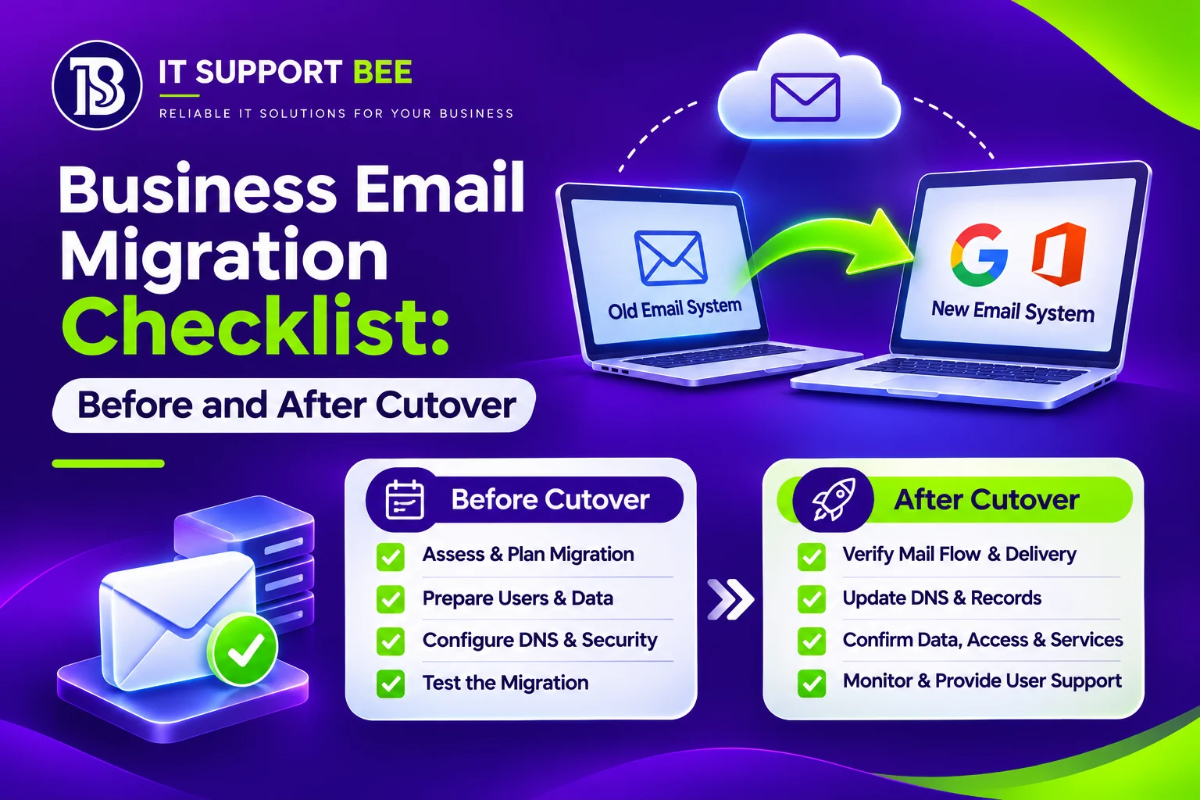
A business email migration needs an inventory, a tested transfer method, a routing plan, and an acceptance checklist. Copying messages is only one part of moving a team to a new provider. Use this planning guide to define the work before agreeing a cutover date.
Define what must move
List users, aliases, shared mailboxes, groups, calendars, contacts, delegates, archives, and applications that send email. Record approximate mailbox sizes and identify people whose work depends on shared resources. Assign a business owner to confirm whether those resources work after migration.
Separate mailbox content from settings and related services. File storage, identity, mobile device management, and third-party sign-in may need their own plans. A mailbox migration should never silently imply that all cloud services are included.
Confirm the migration method and exclusions
Microsoft documents different migration approaches. In particular, IMAP migration transfers mail folders but does not move contacts, calendar items, or tasks. Confirm support for each required data type before buying tooling or committing to a timeline.
Create a scope table with a row for each resource: source, destination, transfer method, limitation, and validation owner. Record any work that users must perform themselves, such as reconnecting a desktop client.
Run a representative pilot
Choose a pilot that includes a large mailbox, an alias, shared access, and calendar use if those matter to your team. Test the workflows people actually rely on, not only whether they can sign in.
For each pilot account, record:
- Data included and deliberately excluded.
- Transfer errors and how they were resolved.
- Inbound and outbound test results.
- Calendar and contact checks where supported.
- Desktop and mobile setup steps.
- User approval and remaining issues.
Use pilot findings to revise the estimate. Volume alone cannot predict every delay; permissions, throttling, damaged items, and unsupported features can change the workload.
Prepare DNS and cutover ownership
Confirm who controls the authoritative DNS zone and who can approve changes. Save the current records and document the intended mail route. Identify website forms, CRM systems, scanners, and billing tools that still use the source provider.
Agree a change window, communication channel, go/no-go criteria, and escalation owner. Write down recovery options before changing routing. Recovery may require reconciling mail received in two systems; simply restoring an old MX record does not merge that data.
Validate delivery and reconcile remaining data
After cutover, test external inbound mail, external outbound mail, replies, aliases, shared resources, and application-generated messages. Inspect authentication on new outgoing messages. Use the spam troubleshooting checklist if mail is filtered.
Review migration errors and run any supported final synchronization. Have business owners check representative historical messages and critical workflows. Document unresolved differences and decide who will handle them.
Build a pilot that can fail before the real move
A pilot that copies an administrator’s nearly empty mailbox will tell you little about an agency that lives in shared inboxes. Select one mailbox with deep folder history, one person who schedules recurring client meetings and one shared address used by more than one colleague. Agree a small set of recognisable items with those users before copying data. A signed proposal with an attachment and a recurring meeting with an exception are better checks than a screenshot of a mailbox total.
Write down what would stop the cutover
| Workflow | Pass condition | Decision if it fails |
|---|---|---|
| Sales replies from a shared address | External recipient sees the agreed From identity and replies reach the team | Repair permissions or routing before moving that team |
| Finance retrieves an old invoice | User opens the exact historical message and attachment | Check date filters, source access and skipped items |
| Director reschedules a client meeting | External attendee receives the changed occurrence and the rest of the series remains correct | Assign a calendar remediation owner |
| Website sends a lead | Test enquiry reaches the intended mailbox and a reply goes back to the controlled sender | Fix the application dependency before retiring the old relay |
A failed pilot is actionable when it tells you which part of the move needs work. Save the source identifier, destination identifier, error and user-visible symptom. Verify the resolved item again before increasing the batch size.
Prepare for a split delivery window
During a mail routing change, different senders may still reach different systems. Imagine two customer replies arriving five minutes apart, one in the old mailbox and one in the new one. Reversing DNS will not reunite that conversation. Plan in advance who watches the source, how late arrivals will be reconciled, and how users report messages that appear to be missing.
- Record the intended primary route and any existing forwarding rules. Draw the path of a message to one normal user and one shared address.
- Capture the existing DNS values and their TTLs. Identify the administrator who can restore them and the person who can authorise that decision.
- Send an external test with a unique subject and record which system accepted it. An internal message can bypass the public route altogether.
- Repeat for aliases, shared addresses and business applications. Capture the message identifiers, not just a successful “sent” notification.
- Review both systems for late deliveries before the final reconciliation. Check the provider’s migration method for what a final pass actually copies.
Give the help desk a first question
When a user says “my email is gone,” ask for one specific item and when they last saw it. If it is yesterday’s historical message, inspect the source and the migration results. If it is a new customer reply, inspect transport logs and delivery routes. If it appears in the destination’s web client but not the phone, start with the client account configuration. Those three answers send a technician to different systems.
Close the project with a dated decision on source retention, an owner for every unresolved exception and written acceptance from the people who use the business workflows. Keeping both subscriptions indefinitely is expensive. Cancelling the old one before those decisions can remove the easiest way to resolve an outstanding discrepancy.
Decide when to retire the source
Do not cancel the old provider solely because a progress indicator reaches 100%. Agree an acceptance period, verify required data and access, and confirm retention obligations with the business owner. Record the decision and any remaining exports or dependencies.
Can migration happen with no downtime?
A careful plan can reduce disruption, but results depend on the systems, routing, clients, and transfer method. Treat uninterrupted service as an objective to test rather than a universal promise.
What information is needed for a quote?
Provide the source and destination, mailbox count and size, required data types, shared resources, DNS provider, and preferred timing. See email migration services and the Exchange-to-Workspace project account for related context.
To test your migration before the change window, email hello@itsupportbee.com or book a strategy call with IT Support Bee.

Mushfiqur Rahman
Microsoft 365 & Google Workspace Email Consultant
I help small businesses migrate, secure, and fix their business email. I specialize in Microsoft 365 and Google Workspace migrations, SPF, DKIM and DMARC, and remote admin support through IT Support Bee.