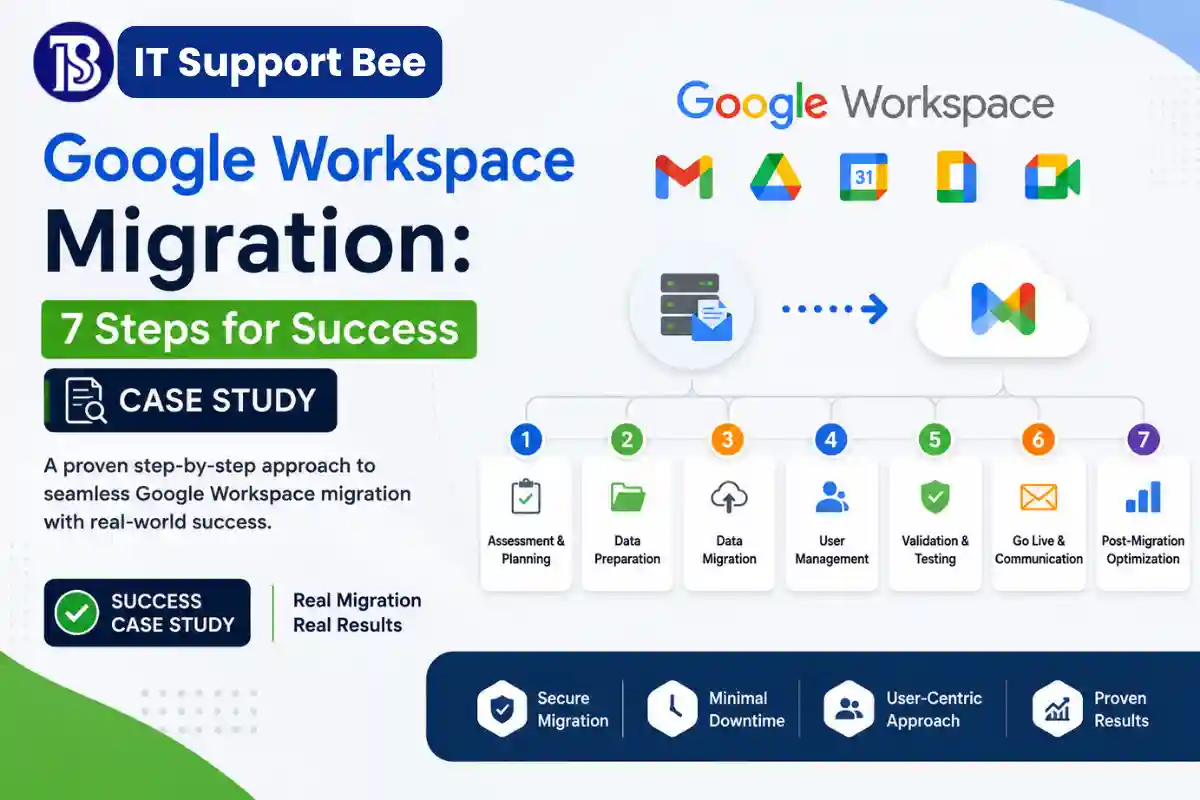
Google Workspace Migration: 7 Proven Steps for a Smooth Multi-Brand Consolidation
Managing several businesses, brands, and domains across multiple Google Workspace environments can create unnecessary costs and administrative complexity. A carefully planned Google Workspace migration can consolidate those environments into a single, organized platform while preserving important business data.
This case study explains how IT Support Bee helped a multi-brand business restructure its Google Workspace environment, consolidate two separate Workspace subscriptions, migrate Gmail and Google Drive data, prepare multiple domains, configure DNS, and preserve historical Google Chat data.
The objective was not simply to move data from one account to another. The goal was to create a cost-efficient, scalable, and technically clean Google Workspace structure that could support multiple businesses and future growth.
The Google Workspace Migration Challenge
The client was operating multiple business and brand entities under one broader business ecosystem.
They were using two separate Google Workspace environments, with users, business email addresses, files, and other Workspace data distributed between them.
The client wanted to consolidate these environments into one Google Workspace subscription while continuing to use individual domains for different businesses and brands.
The main requirements included:
- Consolidating two Google Workspace environments into one.
- Establishing a new primary Workspace domain.
- Migrating existing users and historical emails.
- Migrating Google Drive files and folders.
- Preserving important Contacts and Calendar data.
- Organizing users and business email addresses.
- Supporting multiple domains within one Workspace.
- Reducing unnecessary Workspace subscription costs.
- Configuring DNS, MX, SPF, DKIM, and DMARC correctly.
- Preserving historical Google Chat information.
- Creating a structure that could accommodate additional employees and brands later.
Google supports multiple domains within a single Workspace organization. Depending on the requirement, a domain can be configured as a secondary domain or a user alias domain.
The challenge was therefore to determine the most appropriate structure before making any irreversible changes.
1. Auditing the Existing Google Workspace Environment
The first stage of the Google Workspace migration was understanding the existing environment.
Before moving anything, we reviewed the two Workspace subscriptions and identified:
- Active users
- Business and generic email addresses
- Domains
- Gmail usage
- Google Drive data
- Contacts
- Calendars
- Google Chat usage
- Google Workspace services
- Domain ownership
- DNS configuration
- User access requirements
This audit helped separate data that needed to be migrated from accounts, addresses, or services that could potentially be consolidated.
This is particularly important when a business has generic addresses such as finance@, business@, marketing@, or hello@.
Not every email address necessarily needs to be a separate paid Workspace user. Depending on the business requirement, an address may be better implemented as an alias, Google Group, or dedicated user account.
The goal was to avoid simply duplicating the existing structure in the new environment.
2. Designing a Multi-Brand Google Workspace Structure
The next stage was designing the destination environment.
The client wanted one central Google Workspace environment while retaining separate domains for different brands.
Google allows organizations to add multiple domains to the same Workspace account. A secondary domain is appropriate when the domain has its own users, while a domain alias can provide additional email addresses for existing users.
This distinction was important for the project.
The final structure was designed around the concept of:
One central Workspace environment → multiple business domains → appropriate users, aliases, and groups.
This provides centralized administration without forcing every business or brand to maintain a completely separate Workspace subscription.
For businesses managing several brands, this type of architecture can significantly simplify administration and reduce unnecessary licensing.
3. Creating a Temporary Migration Structure
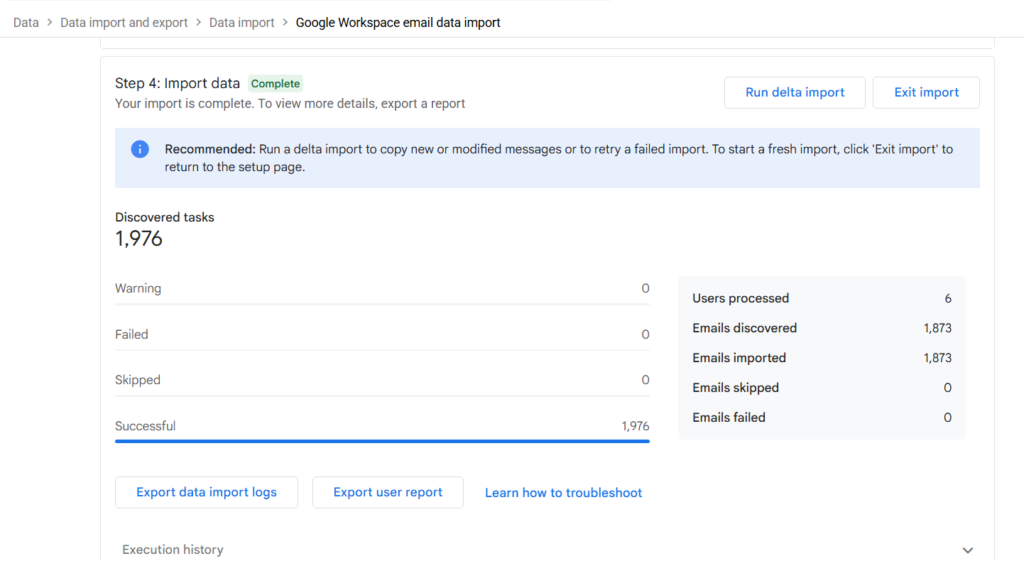
One of the most important decisions in this Google Workspace migration was separating the data migration from the final domain transition.
Instead of immediately moving the source domains into the destination Workspace, a temporary migration domain was used.
This allowed destination users to be created with temporary addresses such as:
user@migration.example.com
The source and destination users could then be mapped before the original business domains were transferred.
This approach provides several advantages:
- The source Workspace can continue operating during migration.
- Users can be created and tested in advance.
- Historical data can be migrated before the final domain cutover.
- The source domains do not need to be released immediately.
- Problems can be identified before production email is moved.
Google’s Workspace migration documentation also recommends careful planning around user email addresses during migration, particularly when using later delta migrations.
4. Migrating Gmail and Google Drive
The core Google Workspace migration involved moving the client’s existing business data into the consolidated environment.
Gmail Migration
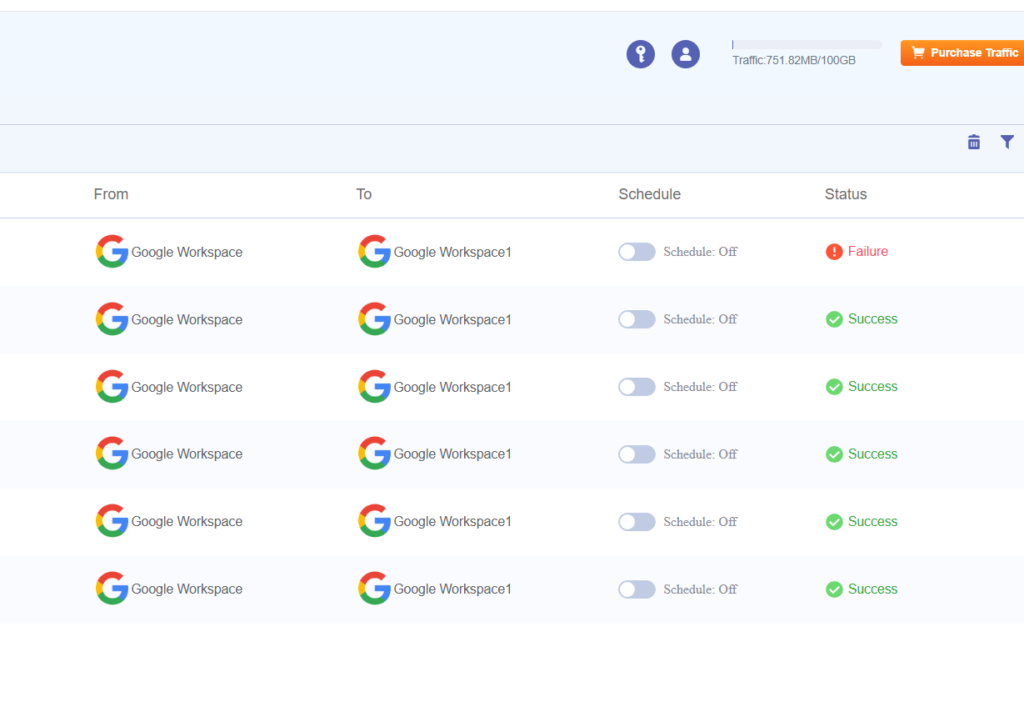
Historical Gmail data was migrated from the source Workspace environment to the destination Workspace.
The objective was to preserve the users’ previous email history while allowing them to continue working from their new Workspace accounts.
After migration, the mailboxes were checked to confirm that historical messages were available in the destination environment.
Google provides several migration options for Workspace data, and the appropriate method depends on the source, destination, number of users, and data types involved.
Google Drive Migration
Google Drive was handled as a separate migration workload.
The migration included reviewing:
- Files
- Folders
- Google Docs
- Google Sheets
- Google Slides
- Ownership
- Sharing permissions
- User access
- Folder organization
Drive migrations require careful planning because ownership and sharing relationships can change between Workspace environments.
Google’s documentation specifically highlights considerations around Drive permissions, shared drives, orphaned files, and file ownership during Google-to-Google migrations.
After migration, important files and folders were verified to ensure that users could access the required business information.
5. DNS and Email Authentication
A successful Google Workspace migration is not complete when the data has been copied.
The domains and email infrastructure also need to be configured correctly.
The client’s domains were managed through GoDaddy, so the required DNS changes were planned and implemented there.
The configuration included reviewing:
- MX records
- SPF
- DKIM
- DMARC
- Google Workspace domain verification
MX records determine where incoming email is delivered, while SPF, DKIM, and DMARC help authenticate outgoing messages and protect the domain against spoofing and unauthorized use.
After the DNS changes, email sending and receiving were tested to make sure the domains were operating correctly.
This is why a Google Workspace migration should always include DNS and email authentication as part of the project plan rather than treating them as an afterthought.
6. The Google Chat Migration Challenge
One of the most challenging parts of the project was dealing with historical Google Chat data.
Gmail and Drive could be migrated using established migration workflows, but preserving historical Google Chat conversations in the destination Workspace presented a different challenge.
The client had a relatively small amount of Chat data, but dedicated third-party migration providers were investigated to determine whether the historical conversations could be migrated.
Several providers were contacted and pricing was compared.
One provider quoted approximately $2,000 for around 200 MB of Google Chat history, while another quoted approximately $11.40 per user.
After reviewing the available options and costs, the client decided that purchasing a dedicated third-party service solely for Google Chat was not worthwhile.
Instead, we looked for a practical and cost-effective alternative.
7. Building a Browser-Based Google Chat Archive
Rather than leaving the historical Chat data in an inconvenient machine-readable format, the Chat data was exported using Google Takeout.
Google Takeout provides exported data that can include Chat information, but the resulting JSON files are not particularly convenient for a non-technical user to browse.
To solve this problem, I developed a browser-based Google Chat viewer that processes the exported Chat data and presents it in a much more readable format.
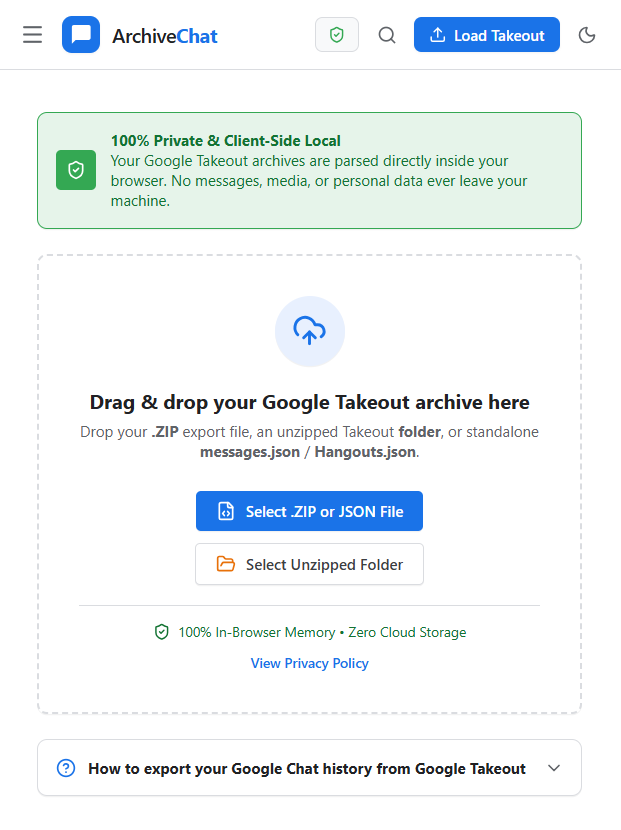
The viewer allows historical Chat information to be reviewed through a web browser instead of requiring the client to manually open and interpret JSON files.
This provided a practical archive solution without requiring the client to spend thousands of dollars on a specialized Chat migration service.
The approach also kept the historical Chat data separate from the live Workspace environment while still making it accessible for future reference.
This was an important example of solving the underlying business requirement rather than simply purchasing the most expensive available migration service.
What the Google Workspace Migration Achieved
The completed Google Workspace migration produced a more centralized and manageable environment for the client.
The key outcomes included:
Consolidated Workspace environment
Two separate Workspace environments were brought together into one centralized structure.
Gmail data preserved
Historical business email was migrated into the consolidated Workspace environment.
Google Drive data migrated
Important files and folders were moved and checked in the destination environment.
Multi-domain architecture
The Workspace was structured to support multiple business and brand domains.
Reduced unnecessary subscriptions
The new architecture was designed to avoid creating separate Workspace subscriptions when they were not technically necessary.
DNS and email configuration
The required domain verification, MX, SPF, DKIM, and DMARC configuration was addressed.
Google Chat history preserved
Instead of purchasing an expensive third-party Chat migration service, historical Chat data was exported and made accessible through a browser-based archive.
Scalable administration
The resulting structure provides a better foundation for adding future employees, domains, and business units.
Key Lessons From This Google Workspace Migration
This project demonstrated that a successful Google Workspace migration requires more than copying email from one account to another.
The most important lessons were:
Audit first. Understand the existing users, domains, data, and services before changing the environment.
Separate migration from domain transfer. A temporary migration structure can reduce risk during the transition.
Treat each workload separately. Gmail, Drive, Contacts, Calendar, and Chat have different migration considerations.
Design before creating users. The right combination of secondary domains, aliases, groups, and user accounts can reduce unnecessary licensing.
Do not overlook DNS. MX, SPF, DKIM, and DMARC are essential parts of the final cutover.
Plan for Google Chat separately. Chat history may require a different preservation strategy from Gmail and Drive.
Consider the cost of the solution. A third-party migration service may be appropriate for a large or critical Chat migration, but a smaller environment may benefit from a secure archive approach.
Frequently Asked Questions About Google Workspace Migration
Can two Google Workspace accounts be consolidated into one?
Yes. A Google Workspace migration can consolidate data from separate Workspace environments into one destination environment. The domains must be handled carefully because a domain cannot simply remain attached to two separate Workspace accounts simultaneously.
Google recommends choosing the destination account, removing domains from the other account, and then adding those domains to the chosen Workspace environment.
Can multiple business domains use one Google Workspace account?
Yes. Google Workspace supports multiple domains within a single organization. Depending on the business structure, domains can be configured as secondary domains or domain aliases.
Does every business email address require a separate Workspace user?
No. Depending on the requirement, some addresses can be configured as aliases or Google Groups rather than separate licensed users.
The correct approach depends on whether the address represents an individual employee, a shared mailbox requirement, or a general business function.
Can Google Drive be migrated between Google Workspace accounts?
Yes. Google Drive can be migrated between Workspace environments, but file ownership, sharing permissions, folders, shared drives, and externally owned files need to be considered carefully.
What happens to Google Chat during a Workspace migration?
Google Chat should be treated as a separate migration requirement. Depending on the source and destination environments, historical Chat data may require a specialized migration service or an archive strategy.
How can old Google Chat data be preserved?
One option is to export the available Chat data using Google Takeout and retain it as an archive. For non-technical users, JSON data can be presented through a browser-based viewer to make historical conversations easier to search and review.
How should DNS be handled during a Google Workspace migration?
DNS should be planned before the final domain cutover. MX records need to point to the correct mail service, while SPF, DKIM, and DMARC should be reviewed to maintain email authentication and deliverability.
How can businesses reduce Google Workspace costs when managing multiple brands?
A centralized Workspace environment can often support multiple domains and brands. The key is determining which addresses need dedicated users and which can use aliases or groups. Google allows organizations to manage multiple domains from the same Workspace administration environment.
Need Help With Google Workspace Migration?
A Google Workspace migration involving multiple domains, users, and business entities requires careful planning before any domains are transferred.
IT Support Bee provides Google Workspace administration, migration, domain and DNS management, Gmail migration, Google Drive migration, email authentication, and cloud migration support for businesses that need a reliable technical partner.
You can learn more about our Google Workspace and IT services or visit the IT Support Bee homepage to learn more about our approach to business IT support.
For technical reference, Google’s official documentation provides detailed guidance on Google Workspace to Google Workspace migration and managing multiple domains in Google Workspace.