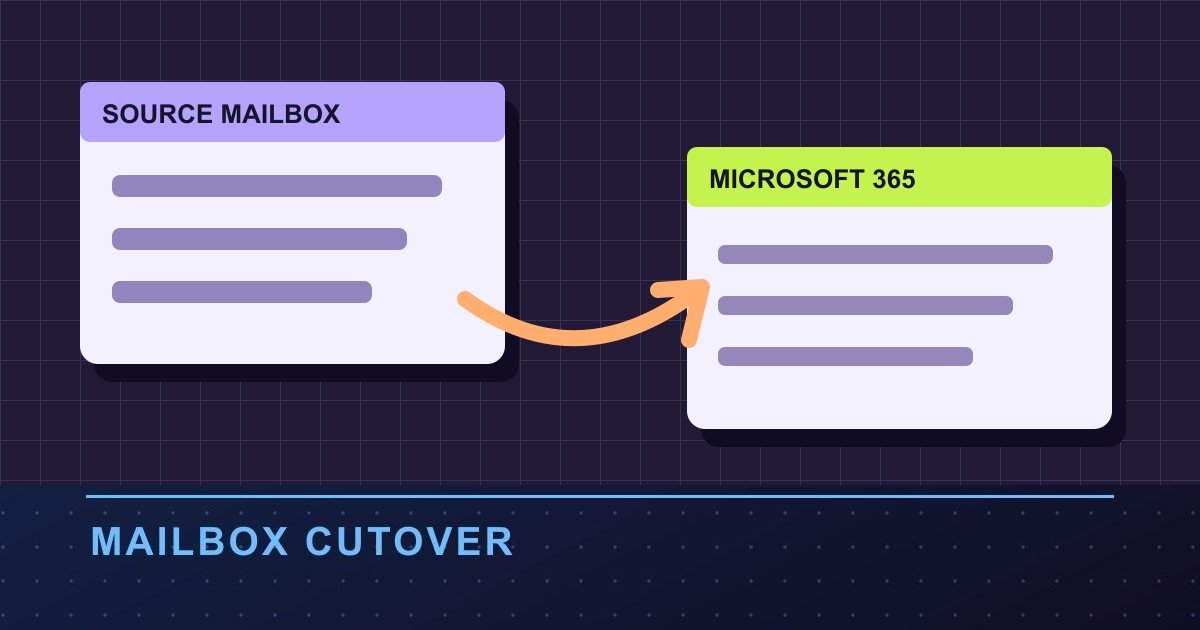
Founder Melissa Walsh hired IT Support Bee to move company email from Google to Microsoft 365 and update the domain’s DNS records. Walsh reports that the work finished on time. Her account answers a useful procurement question: the assignment covered both the mailbox move and the domain changes.
What the client needed
A mailbox transfer and a change in where new mail arrives are two separate jobs. A business can see historical messages in its new inbox while new customer enquiries still arrive at the old provider. That distinction explains why the DNS work in Walsh’s description matters.
What the evidence shows
In Melissa Walsh’s published testimonial, the project is listed as Gmail Accounts Transfer to Microsoft 365 Account. Walsh identifies the source, destination and DNS work, and describes the migration as seamless. She also says Mushfiqur was available to answer questions throughout.
That is the client’s assessment of the handover. The public record does not identify the migration tool, number of mailboxes, DNS records changed or duration of the move. “On time” means the client’s deadline was met; it does not establish a standard migration time or prove zero downtime.
Separate Friday’s history from Monday’s incoming mail
Picture a small agency opening Outlook after a weekend cutover. Its founder can find last year’s invoices. A customer says they replied to a proposal that morning, yet nobody can find the reply. The historical copy and the live delivery path have different success conditions. The first can pass while the second is still sending mail to Google.
For a comparable move, I would assign one person to sign off on mailbox content and another to confirm external delivery. Give each a short list of items they can recognise. “Find the signed proposal in the March thread, open its attachment, then reply to a new message from our test customer” is a stronger acceptance test than asking whether Outlook looks right.
Record the handover address by address
| Example address | Purpose before the move | Destination to test | Evidence to keep |
|---|---|---|---|
| owner@example.com | Individual mailbox | Licensed user mailbox | Historical thread plus a new external reply |
| accounts@example.com | Shared finance address | Agreed shared mailbox or group | Two authorised users can receive and respond as required |
| hello@example.com | Public website contact | Agreed alias or shared destination | External form enquiry reaches the assigned person |
| appointments@example.com | Booking notifications | Booking service and receiving mailbox | One real test booking and its cancellation |
An address visible in Gmail can be a mailbox, an alias, or a group. Ask the business who reads it, who sends as it, and whether replies belong in a shared history. These answers determine the Microsoft 365 design. Copying the address list without those decisions can leave finance receiving invoices in a mailbox nobody monitors.
Check the authoritative DNS before the change window
Find out who can edit the active DNS zone. The company that registered the domain, the company hosting the website and the provider serving the DNS records can be three different businesses. Save the existing MX records, priorities and TTL values. Keep the previous values in the change ticket alongside the target supplied for this domain by Microsoft.
On a Windows workstation these are read-only lookups. Replace the example domain with your own.
Resolve-DnsName -Name example.com -Type NS
Resolve-DnsName -Name example.com -Type MX
The NS answer identifies the delegated name servers. The MX answer shows the mail exchangers visible through the resolver you queried. After an approved change, compare an authoritative answer with an ordinary external resolver. An old answer in cache and a new answer at the authoritative server can both be valid during the transition. Neither answer proves a message reached the intended mailbox.
Decide whether a failed test should pause the cutover
If internal Outlook messages work but external tests fail for every address, inspect the published route and domain setup before changing individual mailboxes. If only accounts@ fails while the owner’s mailbox receives messages, inspect that recipient and its delivery restrictions first. If messages arrive but historical folders are incomplete, preserve the source and investigate the migration batch. Repeatedly changing the MX record will add uncertainty to all three investigations.
For an external test, send a fresh subject from a mailbox outside either tenant. Record the time, destination address and message ID. Check the destination with Exchange Online message trace and have the recipient confirm where the message appeared. If the source still receives deliveries, keep track of those messages for reconciliation. Microsoft’s message trace documentation
Define the stop condition before retiring Google
- Finance and sales have exercised their shared addresses from outside the company.
- A migration owner has reviewed skipped items and assigned any remaining exceptions.
- Someone has reconciled messages received on the source during the transition.
- The business owner has confirmed access to required history, attachments and calendar workflows.
- Any remaining Google services have an identified owner and billing plan.
These are acceptance criteria for planning another migration. The public client account supports the completed move and DNS work. Tenant records would be needed to reconstruct the exact cutover sequence.
What to ask for on a similar move
Ask two people to sign off: the administrator who can confirm where incoming mail is routed, and someone who uses the mailbox every day. Have the second person find a known historical thread, receive a new message from an external account and reply from the address customers recognise. Record those results separately so a successful mail-flow test cannot hide missing history.
Use the business email migration checklist to prepare your acceptance tests, or see what is covered by email migration support.
To scope a Google-to-Microsoft 365 cutover, email hello@itsupportbee.com or book a strategy call with IT Support Bee.

Mushfiqur Rahman
Microsoft 365 & Google Workspace Email Consultant
I help small businesses migrate, secure, and fix their business email. I specialize in Microsoft 365 and Google Workspace migrations, SPF, DKIM and DMARC, and remote admin support through IT Support Bee.